Add Therapists
Dive offers you a simple approach to adding new therapists to your existing organization. Once a therapist is added and completes the sign-up proccess, they can easily use dive to create new summaries of their appointments.
How do i add new therapists?
Section titled “How do i add new therapists?”-
Log in to your dive account.
-
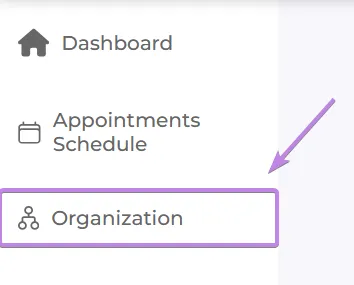
Once logged in, you should see the Organization tab in the sidebar (if you don’t see it, it means you are a single user )
-
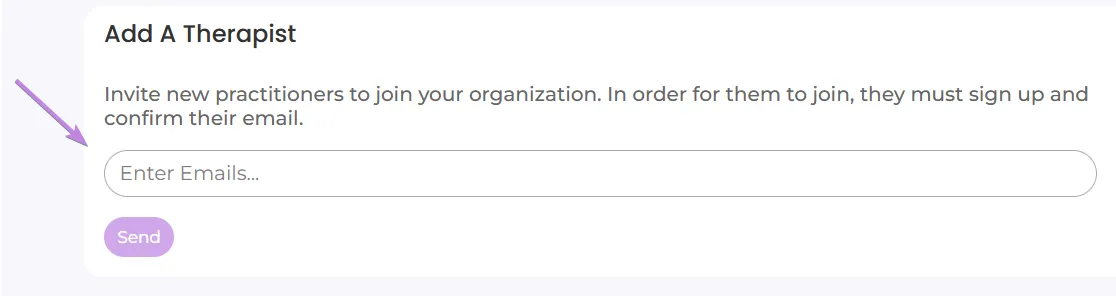
In the organization page, you should see an option to add new patients, inside of the input, type in the desired email and press enter - you can add multiple emails this way.
-
Once you’re finished typing the desired emails, press the “send” button to add new therapists to your organization.